

Default controls: PS5 and Xbox layout
On PS5: stick click runs, Cross jumps, Circle crouches, Square is melee, Triangle interacts, L2 aims, R2 shoots. Classic swaps run and crouch.
Details
| Action | PS5 | Xbox |
|---|---|---|
| Run | L3 click | Left stick click |
| Jump / climb | Cross | A |
| Crouch | Circle | B |
| Take or leave cover | R1 | RB |
| Aim | L2 hold | LT hold |
| Shoot on foot / in a vehicle | R2 / R1 | RT / RB |
| Melee | Square | X |
| Grab enemy from behind (sneaking) | R2 hold | RT hold |
| Interact | Triangle | Y |
| Holster | L1 | LB |
| Phone | D-pad up | D-pad up |
| Vehicle menu | Hold D-pad left | Hold D-pad left |
| Accelerate / brake or reverse | R2 / L2 | RT / LT |
| Handbrake | Cross | A |
| Horn | L3 click | Left stick click |
| Duck (hide from cops) | Hold Circle | Hold B |
| Exit vehicle | Triangle | Y |
| Pause | Options | Menu |
- Schemes: Default, Classic and Left-Handed. Classic swaps Run and Crouch.
- D-pad down: shows the HUD and objective, and held opens Quick Navigation. Holding it also slows time and shows nearby points of interest.
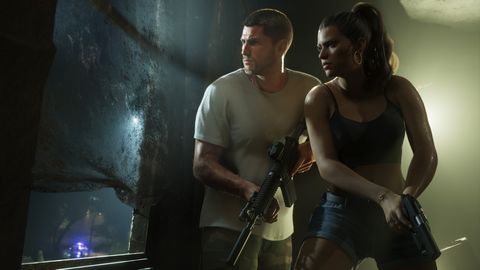
- D-pad right: held, it opens the partner menu, and with R1/RB it switches between Jason and Lucia. It also separates you from your partner.
- Focus is both stick clicks, or the View button if you change it.
- The touchpad opens the map on PS5. View on Xbox is likely.
- Another listing says R1/RB is a universal use button, L1/LB picks up ground weapons and holding down on the D-pad switches characters.
- That conflicts with the table above, so use the in-game Control Scheme screen as the reference.
More in Start here
- Click L3 to run, again to sprintThe stick alone only walks. On PS5 press L3 to run and L3 again to sprint, or change Movement Speed in Settings > Gameplay.
- Turn on progress alerts earlyTurn on all progress and collectible alerts from the start. Weapon, vehicle, animal and challenge alerts are off by default.
- Streaming? Switch on Mute Licensed MusicSettings > Audio has a Mute Licensed Music toggle, off by default. Turn it on before going live to dodge copyright claims.
Sources (9)
- 32 spoiler-free tips as you hop into Grand Theft Auto 6
- 8 GTA 6 tips the game doesn't tell you
- Your First Hours in Grand Theft Auto VI
- GTA 6 Controls Guide: Full PS5 and Xbox Button Layout
- GTA 6 wanted levels: how to lose the police
- Best GTA 6 console settings: aiming, driving, visibility
- All In-Game Options in GTA 6
- GTA 6 controls
- GTA 6 tips: 14 things to know before you play, from our first hour